

Table of Contents
- Introduction
- Why building email lists for schools matters
- Quick wins — 7 tactics to start building email lists for schools today
- Lead magnets and incentives that work for parent leads
- Forms, pop-ups and UX: capture more opt-ins
- Segmentation and tagging — the heart of nurturing
- Email sequences that convert parent leads
- Personalisation and content strategy
- Tools and integrations for building email lists for schools
- Compliance, privacy and consent
- Measuring success: KPIs for building email lists for schools
- Budget and ROI example for building email lists for schools
- Common mistakes to avoid when building email lists for schools
- Implementation roadmap: 90-day plan for building email lists for schools
- Templates: sample welcome email and subject lines
- FAQs
- Conclusion
- Call to Action
Introduction
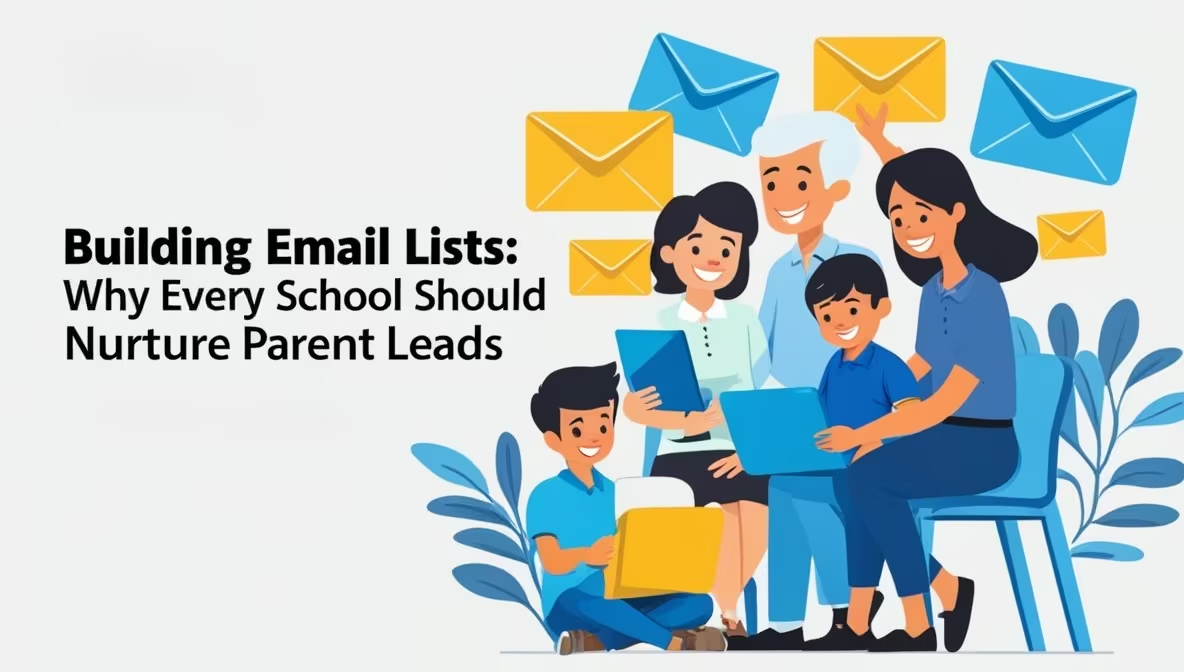
Parents choose schools after careful research. Yet many schools still rely on scattered spreadsheets, sporadic open days, and paper forms. That scatter hurts enrolments. The solution is straightforward: start building email lists for schools to capture parent leads consistently. A well-built email list turns interest into admissions. It lowers marketing costs and gives your admissions team controllable, measurable channels to nurture families.
In this guide you’ll find step-by-step tactics for building email lists for schools, legal and privacy checks, content templates, tools, and an implementation roadmap tailored for schools and coaching institutes.
Why building email lists for schools matters
Building email lists for schools is not just a marketing exercise. It creates a direct line to families. Here’s why it matters:
- Predictable pipeline: Email lists let you forecast inquiries and plan admissions cycles.
- Lower cost per lead: Email acquisition is cheaper than offline events and generic ads.
- Higher conversion rates: Nurtured leads convert at a higher rate than cold inquiries.
- Repeatable outreach: Automated email sequences keep families engaged without extra staff time.
- Data for decisions: Open rates and clicks reveal what parents care about.
As schools scale, building email lists for schools becomes an operational advantage. It centralises parent data, supports personalised communication, and improves enrollment outcomes.
Quick wins — 7 tactics to start building email lists for schools today
Start with small experiments. The following tactics are inexpensive and high-impact for building email lists for schools.
- Add a prospectus lead form on your admissions page
- Keep it short: name, email, phone, child’s age/grade.
- Offer an immediate value: “Download the prospectus” or “Book a virtual tour.”
- Run a gated virtual open day
- Require email to register. Follow up with a replay link and a short survey.
- Use QR codes at events and campus gates
- Link to a one-click signup page — perfect for fairs and walk-ins.
- Offer a parent resource (lead magnet)
- Example: “Top 10 questions to ask during school visits” — downloadable after signup.
- Add newsletter signup to school receipts and fee portals
- Parents already interacting with the school can opt in to receive updates.
- Integrate forms with your CRM or Google Sheets
- Automate tagging so you know lead source and grade interest.
- Collect emails at parent-teacher meetings
- Use a tablet or short printed form; add them to the email list with consent.
These tactics are concrete first steps in building email lists for schools. Each tactic produces usable leads quickly.
Lead magnets and incentives that work for parent leads
Parents respond to relevance and convenience. When building email lists for schools, choose lead magnets that match the parent’s stage of research.
- Early-stage: “How to shortlist schools in [City]” checklist.
- Middle-stage: Virtual tour and sample lesson video.
- Late-stage: Fee structure PDF and a priority-visit booking slot.
Examples of effective school lead magnets:
- Admission timeline PDF tailored to board (CBSE/ICSE/IB/state).
- Webinar: “Preparing your child for Grade 6: What top schools expect.”
- Sample report card and assessment snapshot with anonymised examples.
Offer immediacy. Instant downloads or scheduled virtual events convert best when parents feel momentum.
Forms, pop-ups and UX: capture more opt-ins
Design matters. Poor forms kill conversions. When building email lists for schools, follow these UX rules:
- Minimise fields. Ask for what you need.
- Use progressive profiling: request more details later, not in the first step.
- Add social proof near the form: student numbers, awards, or testimonials.
- Mobile-first: ensure forms work comfortably on phones.
- Give a clear privacy note: explain how you’ll use and protect parent data.
Pop-up timing tip: Use exit-intent or timed pop-ups after 20–40 seconds for admissions pages. They capture intrigued parents without annoying first-time visitors.
Segmentation and tagging — the heart of nurturing
An email list without segmentation is a blunt instrument. When building email lists for schools, tag leads by:
- Grade/age interest
- Program interest (ICSE/CBSE/IB/special programs)
- Lead source (website, open day, referral)
- Geography (city, neighbourhood)
- Stage in admissions funnel (prospect, applicant, enrolled)
Use tags to send highly relevant emails. For example, grade-specific invites, transport zone updates, or fee-related reminders. The result: higher open and click rates and faster admissions decisions.
Email sequences that convert parent leads
A simple, well-timed sequence nurtures interest. Use a 5-email starter sequence when building email lists for schools:
- Immediate welcome — thank you, deliver the prospectus or resource.
- Value email (2 days) — virtual tour or short video about academics.
- Social proof (5 days) — testimonials, alumni outcomes, and achievements.
- Practical details (10 days) — fees, admission timeline, FAQs.
- Call to action (14 days) — invite to open day, campus visit, or priority application.
Timing matters. Space emails so parents can digest the information. Use subject lines that stress value and clarity: “Your prospectus + 2-minute campus tour”.
Personalisation and content strategy
Personalisation boosts engagement. Use first name, child’s grade, and area of interest in emails. When building email lists for schools, personalise subject lines and preview text for better open rates.
Content mix for parent emails:
- 50% practical (dates, fees, policies)
- 30% storytelling (student success, teacher interviews)
- 20% conversion-focused (apply, book visit, download)
Example email topic calendar (monthly):
- Week 1: Admissions update + feature story
- Week 2: Classroom snapshot (video/photo)
- Week 3: Parent resource or webinar invite
- Week 4: Reminder + CTA (visit or apply)
This cadence keeps your list warm without overwhelming parents.
Tools and integrations for building email lists for schools
Pick tools that integrate with your SIS and CRM. Here’s a compact table of tool types and examples.
| Purpose | Tool examples | Why it helps |
|---|---|---|
| Email platform | Mailchimp, Sendinblue, Brevo | Easy templates, automations, analytics |
| Form capture | Typeform, Google Forms, WPForms | Friendly UX and embed options |
| CRM | HubSpot CRM, Zoho CRM, Salesforce | Centralised contact records and tagging |
| Landing pages | Unbounce, Elementor, Carrd | High-converting microsites for lead magnets |
| Payment / fees | Razorpay, Stripe | Capture payments and receipts with opt-ins |
Ensure your chosen systems sync leads automatically. Manual exports and imports slow growth and reduce data quality.
Compliance, privacy and consent
Respecting parent privacy is essential when building email lists for schools. Follow these rules:
- Use explicit opt-in: parents should actively check a box or submit a form to join.
- Keep a record of consent and timestamp.
- Provide a clear privacy policy and an easy unsubscribe option.
- Limit use of sensitive student data in email content.
- If you use third-party CRMs, confirm where data is stored and backup policies.
Tip: Use double opt-in for high-value lead magnets to ensure accurate emails and reduce bounces.
Measuring success: KPIs for building email lists for schools
Track metrics to improve performance:
- Conversion rate (site visit → email sign-up)
- Open rate and click-through rate (CTR)
- Lead-to-application rate
- Cost per lead (if using paid promotion)
- Unsubscribe rate and spam complaints
Benchmark targets (sample):
- Landing page conversion: 3–8%
- Email open rate for education audiences: 30–45% (varies by list quality)
- Click-through rate: 3–8%
Use A/B tests for subject lines, CTA wording, and lead magnet offers to increase conversion.
Budget and ROI example for building email lists for schools
Invest in three areas: content production, tools & integrations, and promotion.
Sample 3-year model for a mid-sized school:
| Item | Year 1 | Year 2 | Year 3 |
| Landing page & forms | ₹50,000 | — | — |
| Lead magnet production | ₹30,000 | 10,000 | 10,000 |
| Email platform & CRM | ₹20,000 | 20,000 | 20,000 |
| Paid promotion (ads) | ₹60,000 | 40,000 | 40,000 |
| Staff time & training | ₹40,000 | 20,000 | 20,000 |
| Total | ₹200,000 | ₹90,000 | ₹90,000 |
If the programme generates 60 qualified parent leads in Year 1 and converts 10% at an average fee of ₹150,000, Year 1 revenue from converted leads = 6 × ₹150,000 = ₹900,000. That’s a strong ROI compared with the investment.
Common mistakes to avoid when building email lists for schools
- Collecting emails without consent.
- Sending generic emails to the entire list.
- Not cleaning the list (removing bounces and inactive contacts).
- Over-emailing and causing unsubscribe spikes.
- Manual data handling that creates delays and errors.
Avoid these traps to keep your list healthy and productive.
Implementation roadmap: 90-day plan for building email lists for schools
Days 1–14: Plan & set up
- Define target personas and grade priorities.
- Choose tools and connect forms to CRM.
- Create 1–2 lead magnets and landing pages.
Days 15–45: Launch & capture
- Run gated virtual open day or campaign.
- Promote via website, social and school WhatsApp groups.
- Begin welcome email sequence for all signups.
Days 46–90: Nurture & optimise
- Segment leads and send targeted sequences.
- Monitor KPIs and test subject lines and lead magnets.
- Clean data and remove invalid addresses.
This timeline gets you from zero to a working admissions funnel in one term.
Templates: sample welcome email and subject lines
Sample welcome email
Subject: Welcome to [School Name] – Stay Connected
Body:
Dear [Parent Name],
Thank you for joining the [School Name] community. We’re excited to keep you updated on events, learning tips, and admission news. You’ll hear from us once or twice a month with helpful insights and school stories.
Warm regards,
[Principal’s Name]
[School Name]
Subject line ideas to improve open rates
- “3 tips for helping your child succeed at [School Name]”
- “Upcoming events parents shouldn’t miss”
- “Discover what’s new at [School Name]”
- “Your monthly update from [School Name]”
- “How [School Name] helps students thrive”
FAQs
How can schools grow their email list quickly?
Use opt-in forms on your website, include signup links in social media bios, and offer a valuable lead magnet such as a parent guide or event calendar.
Is it legal to email parents who haven’t opted in?
No. Always obtain consent via clear sign-up forms. Follow privacy laws such as GDPR or local data regulations before sending emails.
How often should schools send newsletters to parents?
A good rhythm is once or twice a month. Share relevant updates, celebrate achievements, and keep messages concise.
Should schools segment email lists?
Yes. Segment by grade level, admission stage, or interests. Personalised emails increase open rates and engagement.
What tools can schools use to manage email lists?
Platforms like Mailchimp, Sendinblue, or HubSpot make it easy to create sign-up forms, automate campaigns, and track results.
Conclusion
Building email lists for schools is a smart investment in relationships and enrolment. When schools nurture parent leads through clear opt-ins, valuable content, and thoughtful automation, they strengthen trust and increase admissions success. Start today with a simple welcome email and scale your efforts as you grow.
Call to Action
Need help setting up email marketing for your school? LegacyEdTech can design sign-up forms, write automated sequences, and train your team to use the best email platforms. Contact us to schedule a free consultation and start building stronger parent connections through email.