

Table of Contents
- Introduction
- Why virtual tours for school admissions matter
- Benefits of virtual tours for enrollment (quick wins)
- Types of virtual tours schools can build
- How to create an effective virtual tour for school admissions (step-by-step)
- Virtual tour tools and platforms (comparison)
- Content checklist & script examples
- Accessibility & SEO best practices for virtual tours
- Measuring success: KPIs and analytics
- Example: How a medium school increased inquiries by 32%
- Pricing guide & timeline (simple)
- Content repurposing ideas (maximize ROI)
- FAQs — Virtual Tours for School Admissions
- Conclusion — Adopt Virtual Tours for School Admissions Now
- Call to Action
Introduction
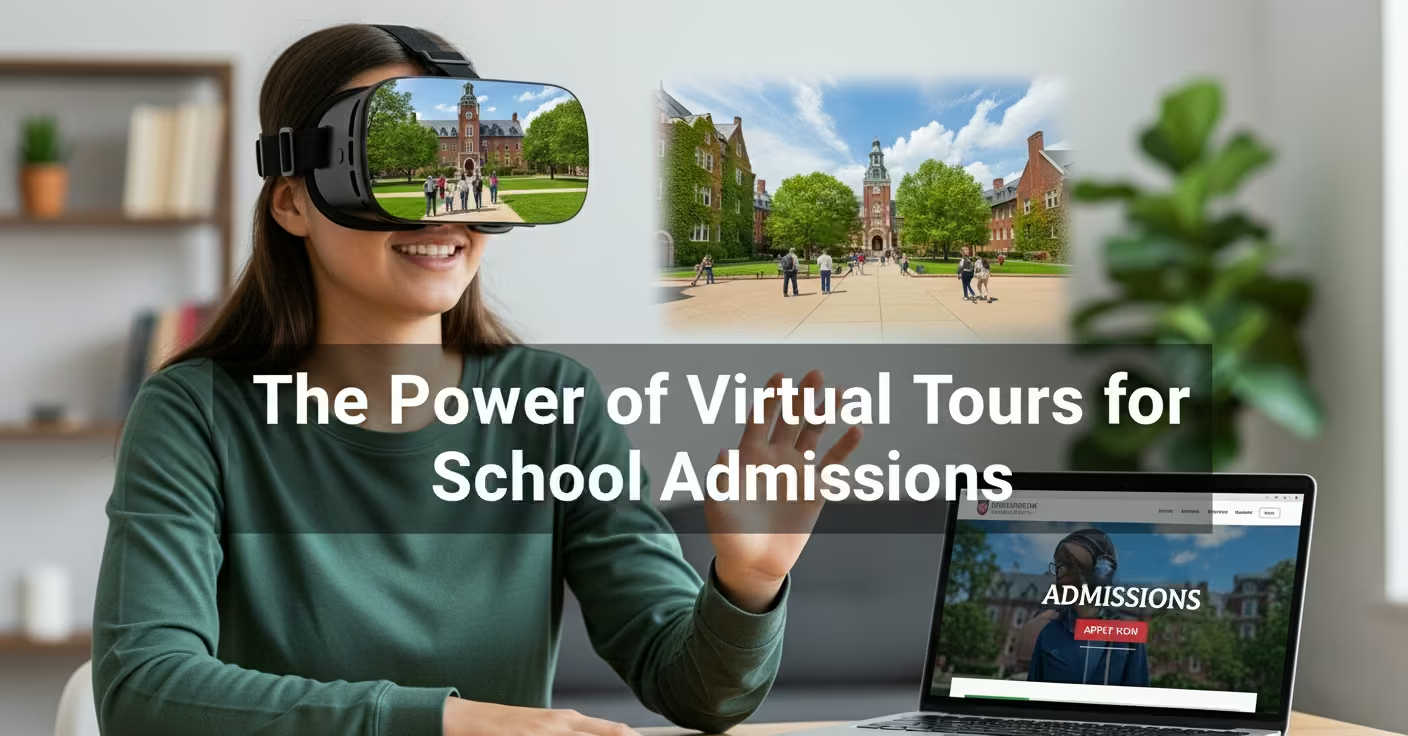
Parents and students now decide fast. They research schools online first. Yet many schools still rely on limited photos and static pages. This creates a gap. The result: fewer campus visits and lost admissions. The solution is clear: create immersive virtual tours for school admissions to showcase campus life, facilities, and culture. With virtual school tours, you reach remote families, speed up decision-making, and increase enrollment conversions.
In this post, you will learn why virtual tours for school admissions work, how to create them step-by-step, the tools to use, content ideas, measurable KPIs, and conversion tactics that turn viewers into applicants.
Why virtual tours for school admissions matter
Families shop online first. They want quick answers. They want proof of facilities, safety, and learning culture. A static photo gallery does not show flow, scale, or context. An in-person open house requires travel and time. So, virtual tours for school admissions solve this friction.
Key reasons they matter:
- They let parents visit anytime. No scheduling required.
- They show authentic campus life and daily routines.
- They increase trust by being transparent.
- They reduce the time between inquiry and application.
More importantly, virtual tours for school admissions attract families who cannot visit physically. These include international applicants, working parents, and long-distance commuters.
Benefits of virtual tours for enrollment (quick wins)
Immediate advantages:
- Higher website engagement and longer session duration.
- Increased inquiry-to-visit conversion.
- Better-qualified leads — visitors who take a tour are more intent-driven.
- Cost savings on repeated open-house logistics.
Strategic benefits:
- Stronger brand positioning as tech-forward and student-centered.
- Enhanced accessibility for families with mobility issues.
- Content reuse: clips for social, email, ads, and school portals.
Stat snapshot (apply locally): Schools using virtual tours reduce the number of in-person tours needed and often see a conversion lift. Include your virtual tour on homepage and admissions pages for best impact.
Types of virtual tours schools can build
Use one or combine formats depending on budget and goals:
- 360° Interactive Virtual Tours — Walk-through style, user-controlled navigation. Ideal for building scale and depth.
- Guided Video Tours — Narrated video from a staff member or student. Best for storytelling and culture.
- Live Virtual Tours / Open Days — Real-time tours with Q&A via Zoom or live stream. Great for conversions during peak admission windows.
- Augmented Reality (AR) Previews — Interactive overlays for mobile users. Emerging, high-impact for campus previews.
- Hybrid Tours — Short guided videos embedded inside a 360° tour for focused storytelling.
Recommended: Start with a 360° interactive tour + one 3–5 minute guided video to tell your brand story.
How to create an effective virtual tour for school admissions (step-by-step)
This step-by-step approach keeps the process simple and repeatable.
Step 1 — Define your admissions goals
- Set target metrics (inquiries, tour completions, applications).
- Choose primary audience (parents, students, overseas families).
Step 2 — Map the tour path
- Make a list: reception, playground, classrooms, labs, sports, library, cafeteria, boarding (if any), counseling center.
- Keep the tour 6–12 stops for clarity.
Step 3 — Write a short script for each stop
- Highlight what parents care about: safety, teacher-student ratio, facilities, outcomes.
- Use storytelling: mention a typical day, student examples, and outcomes.
Step 4 — Choose your format and gear
- For 360° tours: 360 camera, tripod, and stitching software.
- For guided videos: DSLR or mirrorless, lav mic, gimbal for smooth motion.
- For live tours: stable internet, dedicated moderator, and a mobile gimbal.
Step 5 — Capture with intent
- Shoot during a normal school day for authenticity.
- Capture students engaged in real activities (with permissions).
- Use short clips for social repurposing.
Step 6 — Edit and optimize for web
- Compress media for fast load times.
- Add captions and descriptive text for accessibility.
- Ensure mobile responsiveness.
Step 7 — Publish and promote
- Embed tour on admissions page and homepage.
- Share in email drip campaigns and social ads.
- Use call-to-action buttons: Book a Live Tour, Apply Now, Request Brochure.
Step 8 — Measure and iterate
- Track completions, time on tour, and clickthroughs to application form.
- Collect user feedback via short surveys.
Virtual tour tools and platforms (comparison)
| Tool / Platform | Best for | Key features | Price estimate |
|---|---|---|---|
| 360TourBuilder (example) | Easy self-serve 360 tours | Hotspots, maps, analytics | Low – Monthly |
| GuidedVideoPro | Story-driven video tours | Branding, captions, edit options | Mid-range |
| LiveStream OpenDay | Real-time tours with Q&A | Chat, registration, replay | Variable |
| VR/AR Studio | Immersive AR experiences | AR previews, high-engagement | Higher-end |
Note: Choose a tool that integrates with your website CMS and LMS for seamless lead capture.
Content checklist & script examples
Pre-shoot checklist:
- Permissions from parents and staff for filming.
- Clean, decluttered spaces for the camera.
- Student consent forms.
- Branded signage visible.
Script template for a 60–90 second guided clip (Classroom stop):
“Welcome to our science lab. Here students explore hands-on experiments every week. Our lab has a 1:15 kit to student ratio and follows strict safety protocols. Notice the student projects on display — these represent our project-based learning approach.”
Script tips:
- Keep sentences short.
- Mention outcomes (national exam ranks, placements, or projects).
- Use active voice and friendly tone.
Accessibility & SEO best practices for virtual tours
- Add descriptive alt text and transcripts for each tour segment.
- Use structured data (Schema.org: VideoObject & Tour) where possible.
- Create a dedicated landing page with a clear URL slug:
/virtual-tours-school-admissions. - Add meta description and OG tags for social shares.
- Use headings and text content alongside embedded tour to help search engines index the tour content.
Pro tip: Include a short text summary and key takeaways under each tour stop — search engines index text, not panoramas.
Measuring success: KPIs and analytics
Track these to prove value:
- Tour views and completion rate.
- Average time spent on tour page.
- Click-through rate to application or contact form.
- Conversion rate: tour viewers → inquiries → applications.
- Source breakdown: organic, paid, email, referrals.
Goal benchmarks (example):
- Completion rate: 40–60% (good), >60% (excellent).
- Tour-to-inquiry conversion: 5–12% depending on school type.
Example: How a medium school increased inquiries by 32%
Scenario: A 600-student private day school struggled with weekend open-house attendance. They launched a 360° interactive tour with a 4-minute guided video.
Actions:
- Embedded tour on admissions page.
- Sent segmented emails to prospective leads.
- Ran a short social ad campaign targeting local parents.
Results (quarterly):
- Website engagement rose 48%.
- Tour views increased monthly.
- Inquiries from first-touch visitors rose by 32%.
Key takeaway: Pairing interactive tours with clear CTAs and email follow-ups drives measurable admissions lifts.
Pricing guide & timeline (simple)
- DIY 360° Tour: ₹15,000–₹50,000 — 2–4 weeks.
- Guided Video + Editing: ₹30,000–₹80,000 — 3–6 weeks.
- Full production (360° + Guided Video + Live Events): ₹80,000+ — 4–8 weeks.
(Prices vary by vendor, location, and production quality.)
Content repurposing ideas (maximize ROI)
- Break the tour into 30–60 second clips for Instagram reels and YouTube shorts.
- Use 10–20 second snippets in paid ads with a CTA to “Take a virtual tour”.
- Add tour highlights in nurture emails to improve click-throughs.
- Export stills for brochures and landing pages.
FAQs — Virtual Tours for School Admissions
What are virtual tours for school admissions and why should we use them?
Virtual tours for school admissions are immersive online experiences that let parents and students explore campus remotely. They reduce friction, increase transparency, and help families decide faster. Use them to reach families who can’t visit in person and to complement physical open days.
How long should a virtual tour be for admissions?
Keep interactive tours 6–12 stops and guided videos between 3–6 minutes. Shorter segments maintain attention and improve completion rates. Offer both a full tour and short highlights for different audiences.
Are virtual tours expensive to create?
Costs vary. You can start with a low-cost 360° camera and DIY tools or hire a production agency for a higher-end experience. Many schools see fast ROI through increased inquiries.
Can virtual tours improve SEO and website traffic?
Yes. When paired with indexed text, structured data, and optimized meta tags, virtual tours increase time on page and can improve search rankings for admission-focused queries (e.g., “virtual tours for school admissions”).
How do we measure the impact of virtual tours on admissions?
Track KPIs like tour views, completion rates, and conversions to inquiry/application forms. Use UTM tags in promotional links and integrate with your CRM for lead attribution.
Conclusion — Adopt Virtual Tours for School Admissions Now
Virtual tours for school admissions offer an essential bridge between your campus and the families you want to enroll. They cut friction, increase trust, and improve conversion rates. More importantly, they position your school as modern and accessible. Start small. Iterate often. Measure results. In short, make virtual tours a core part of your admissions strategy.
Start today: Embed a short virtual tour on your admissions page, add a clear CTA, and watch engagement grow.
Call to Action
Ready to convert more visitors into applicants? LegacyEdTech helps schools plan, produce, and promote high-impact virtual tours for school admissions. Book a free consultation and get a custom roadmap for your campus. Let’s make admissions simple, measurable, and modern.
Take the next step: Contact LegacyEdTech to schedule your free virtual-tour strategy session.