

Table of Contents
- Introduction
- Quick summary (what you’ll get in this guide)
- Why learning the process matters: the stakes for school owners
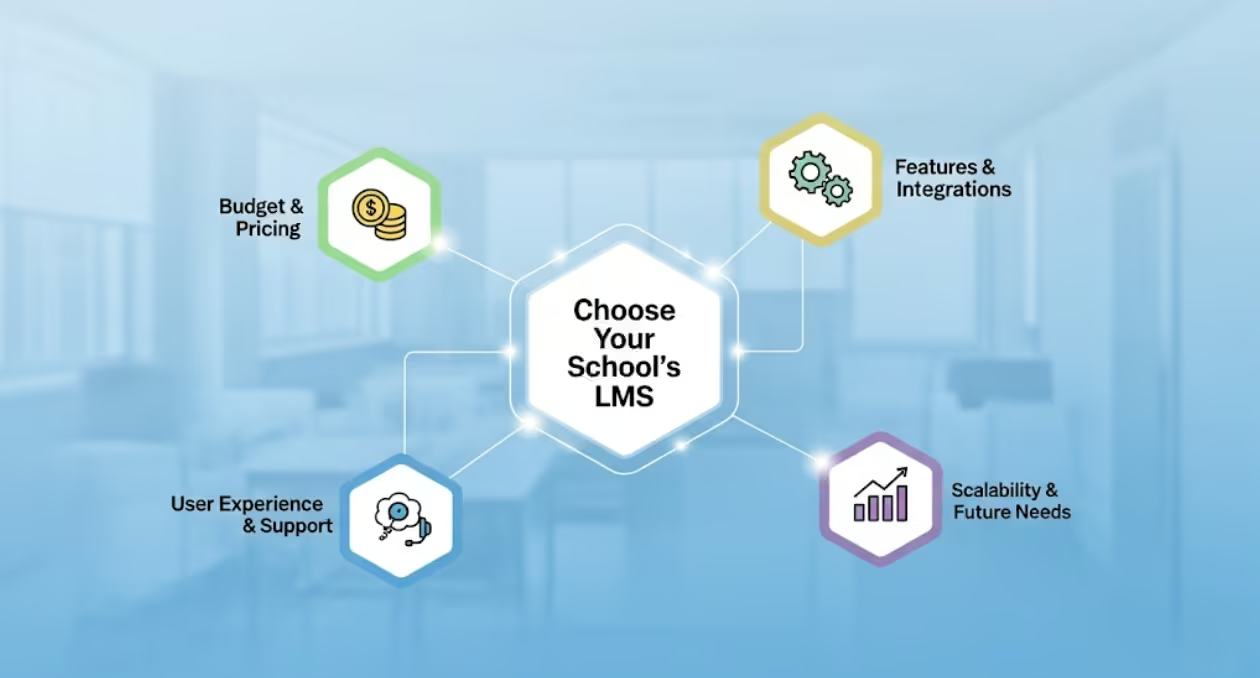
- How to Choose an LMS for Schools: 7 must-have criteria
- How to choose an LMS for schools: user experience and adoption (H2)
- Integrations, data and compliance: what to test early
- Pricing and TCO: how to choose an LMS for schools without budget surprises
- How to choose an LMS for schools: security and student data protection
- Pedagogy and content strategy: not all LMS focus on teaching
- Implementation roadmap: step-by-step
- Scorecard: simple vendor evaluation template
- Common pitfalls when you research how to choose an LMS for schools
- Case example: small private school implementation
- Frequently Asked Questions (FAQ)
- What is the single most important thing when learning how to choose an LMS for schools?
- Should schools choose a free LMS like Google Classroom?
- How long does it take to implement an LMS in a school?
- How can we measure success after implementing an LMS?
- What integrations are non-negotiable when you learn how to choose an LMS for schools?
- Conclusion
- Call to Action
Introduction
Choosing the right platform is one of the biggest decisions a school owner will make during digital transformation. In this guide you’ll learn how to choose an LMS for schools, why the choice matters, and exactly which features and processes reduce risk and increase adoption. Many school owners feel overwhelmed by confusing vendor claims and endless feature lists. The result: stalled projects, frustrated teachers, and wasted budgets. This post solves that problem with a clear, practical checklist, real examples, and vendor-evaluation tips so you can decide confidently.
Quick summary (what you’ll get in this guide)
- A clear focus on how to choose an LMS for schools with actionable criteria.
- A prioritized features table to compare vendors quickly.
- Implementation checklist and budget tips for school owners.
- 5 FAQs school leaders actually ask when picking an LMS.
Why learning the process matters: the stakes for school owners
School leaders must balance pedagogy, operations, and budgets. Choose poorly and you risk low teacher adoption, data fragmentation, and escalating costs. Conversely, choose well and you’ll gain better outcomes, streamlined admin work, transparent reporting, and a digital learning environment that grows with your school.
That’s why understanding how to choose an LMS for schools is not a technical exercise. It’s a strategic one.
How to Choose an LMS for Schools: 7 must-have criteria
When you evaluate vendors, score each of these areas. They directly affect adoption, workload, and long-term ROI.
- Pedagogy-first features (course builder, assessments, rubrics)
- User experience (UX) for teachers, students and parents
- Integration & data flow (SIS, single-sign on, Google/Microsoft)
- Reporting & analytics for learning outcomes and compliance
- Mobile access & offline capabilities
- Security, privacy & role-based permissions (student data protection)
- Scalability and cost model (per-user, per-school, tiered SaaS)
These seven criteria form the backbone of any vendor scorecard when exploring how to choose an LMS for schools.
Table: Quick feature vs. why it matters
| Feature | Why it matters for school owners | Minimum acceptance criteria |
|---|---|---|
| Course builder with templates | Speeds teacher content creation and ensures quality | Drag-and-drop, templates, SCORM/xAPI support |
| SIS & SSO integration | Removes duplicate work and secures logins | Two-way SIS sync, SAML/OIDC support |
| Gradebook & assessment engine | Accurate evaluation and parent transparency | Auto-sync grades; parent view options |
| Mobile + offline | Accessibility for low-connectivity students | Native app or responsive web + offline cache |
| Reporting & analytics | Data-driven improvement & accreditation support | Custom reports, exportable CSV/Excel |
| Role-based permissions | Protects student data & clarifies duties | Fine-grained roles (admin, teacher, parent, student) |
How to choose an LMS for schools: user experience and adoption (H2)
A technically rich LMS is useless if teachers and students don’t use it. Focus on:
- Onboarding speed. Can a teacher create a course in under an hour? If not, adoption stalls.
- Teacher tools. Assess whether grading, messaging, and content reuse are intuitive.
- Parent visibility. Can parents view progress and communicate easily?
- Support model. Does the vendor offer dedicated onboarding, webinars, and local support?
Example: A medium-sized K–12 school replaced a clunky platform with one focused on UX and saw teacher login frequency jump by 60% in the first term. The difference was not features — it was ease of use and support.
Integrations, data and compliance: what to test early
Integrations make or break your LMS implementation. Early in vendor conversations you should:
- Demand a data flow diagram showing how student records move between SIS, LMS, and third-party tools.
- Test SSO with a real account. Don’t accept screenshots.
- Confirm export formats (CSV, Excel) for reports and backups.
- Ask about data residency and compliance (local data laws, children’s data protection policies).
Checklist for integration testing:
- SIS sync demo with real data
- SSO test (SAML/OIDC)
- Grade export and import test
- API access and documentation available
Pricing and TCO: how to choose an LMS for schools without budget surprises
Price structures vary: per-user, per-seat, per-school, or feature-tiered SaaS. To avoid hidden costs, do this:
- Request a Total Cost of Ownership (TCO) for 3 years, broken down by license, implementation, training, and hosting.
- Clarify who pays for integrations, custom work, and upgrades.
- Compare costs using a simple model: setup cost + (annual license × #users) + training + integrations = TCO.
Example TCO table
| Cost item | Year 1 | Year 2 | Year 3 |
| Setup & implementation | ₹300,000 | — | — |
| Annual license (per school) | ₹150,000 | ₹150,000 | ₹150,000 |
| Training & change management | ₹50,000 | ₹20,000 | ₹20,000 |
| Integrations / custom work | ₹100,000 | — | — |
| Total | ₹600,000 | ₹170,000 | ₹170,000 |
How to choose an LMS for schools: security and student data protection
Student data is sensitive. When assessing vendors, verify:
- Encryption at rest and in transit.
- Role-based access and audit logs.
- Methods for secure data deletion and backup policies.
- Vendor liability and breach notification timelines.
Ask for a security questionnaire. A vendor should complete or allow a third-party security audit.
Pedagogy and content strategy: not all LMS focus on teaching
An LMS should support your pedagogical model. Ask these questions:
- Does the LMS support blended learning workflows?
- Can teachers build adaptive lessons and formative assessments?
- Is content reusable between classes and terms?
- Does it support multimedia, SCORM, and xAPI?
If your aim is personalised learning, prioritise platforms with strong assessment engines, branching scenarios and analytics.
Implementation roadmap: step-by-step
A smooth rollout reduces friction. Use this phased plan:
Phase 0 — Discovery (2–4 weeks)
- Define learning goals and non-negotiable features.
- Identify stakeholders (teachers, IT, parents).
- Build an internal project team and timeline.
Phase 1 — Vendor shortlisting (2–4 weeks)
- Issue an RFP focused on your must-haves.
- Score vendors against the seven criteria in this guide.
- Run pilot tests with real teachers and students.
Phase 2 — Pilot (6–12 weeks)
- Pilot with 1–3 grades or departments.
- Measure teacher time-on-task, login rates, and student engagement.
- Collect qualitative feedback and iterate.
Phase 3 — Full rollout & change management (3–6 months)
- Run mass teacher training, create short how-to videos.
- Offer on-site or live remote support in the first 6–8 weeks.
- Monitor adoption KPIs: weekly active users, course completion, grade sync success.
Scorecard: simple vendor evaluation template
Use a 1–5 scale and weight categories to reflect priorities.
| Category | Weight | Vendor A | Vendor B | Vendor C |
| Pedagogy features | 25% | 4 (1.0) | 3 (0.75) | 5 (1.25) |
| UX & adoption | 20% | 3 (0.6) | 5 (1.0) | 4 (0.8) |
| Integrations | 15% | 4 (0.6) | 4 (0.6) | 3 (0.45) |
| Reporting & analytics | 15% | 3 (0.45) | 5 (0.75) | 4 (0.6) |
| Security & compliance | 15% | 5 (0.75) | 3 (0.45) | 4 (0.6) |
| Pricing & TCO | 10% | 4 (0.4) | 2 (0.2) | 5 (0.5) |
| Total score | 100% | 3.8 | 3.75 | 4.2 |
This approach surfaces the right vendor objectively and keeps stakeholder emotions out of critical procurement calls.
Common pitfalls when you research how to choose an LMS for schools
- Buying based on price alone — cheaper systems often shift costs to integrations and support.
- Ignoring teacher workflows — look for teacher time savings, not bells and whistles.
- Skipping pilots — full rollouts without pilots create chaos.
- Not planning for change management — tech is only half the solution; people are the other half.
Case example: small private school implementation
The situation: A 450-student private school needed a consistent digital classroom and a way to share lesson plans between teachers.
Action taken: The leadership used the vendor scorecard above, shortlisted three providers, and ran a 10-week pilot with two grade levels. They prioritized UX and uptime over advanced analytics.
Result: After rollout, teacher-reported prep time fell by 25%. Parent engagement increased due to the built-in parent portal. ROI was achieved in under two years thanks to reduced paper costs and faster reporting.
Key lesson: A focused pilot and clear priorities shorten the path to impact.
Frequently Asked Questions (FAQ)
What is the single most important thing when learning how to choose an LMS for schools?
Prioritise teacher adoption. If teachers dislike the system, students won’t benefit. Choose an LMS that reduces daily teacher workload and supports classroom pedagogy.
Should schools choose a free LMS like Google Classroom?
Free tools are great for starters. However, free platforms may lack deep integrations, robust reporting, and customisation required as your school scales.
How long does it take to implement an LMS in a school?
Typical timelines are 3–9 months from discovery to full rollout, depending on integrations, training needs, and the size of the student body.
How can we measure success after implementing an LMS?
Track adoption metrics (weekly active users), engagement (time on lessons, assignment submissions), and outcome metrics (grade distribution, assessment improvements). Also gather teacher satisfaction surveys.
What integrations are non-negotiable when you learn how to choose an LMS for schools?
SIS synchronization and SSO are top priorities. Grade sync and parent portals should be next on your list.
Conclusion
Choosing the right platform is a strategic, not a technical, decision. Follow this guide to understand how to choose an LMS for schools, prioritise teacher adoption, verify integrations, and calculate total cost. When school owners take these steps, they reduce risk and unlock measurable learning improvements.
Adopt a clear scorecard. Run a real pilot. Measure adoption. Repeat. That’s the practical route to success.
Call to Action
Ready to evaluate an LMS with a tried-and-tested framework? Contact LegacyEdTech for a free vendor shortlisting worksheet, pilot plan template, and a personalised consultation for your school or coaching institute. Move from uncertainty to a confident digital-first strategy today.