

Table of Contents
- Introduction
- Why social media for schools matters now
- Key goals to set for social media for schools
- Audience: Who you’re trying to reach (parents vs students)
- Platforms to prioritize for social media for schools
- Content strategy: What to post and why (use the focus keyword)
- Content formats that work for schools
- Sample weekly content calendar for social media for schools
- Sample post templates (copy you can use today)
- Visuals and branding: keep it consistent
- Paid ads & targeting: get more enquiries fast
- Measure success: KPIs & reporting for social media for schools
- Tools and automation to streamline social media for schools
- Privacy, consent & safety: essential policies for social media for schools
- Crisis communication: how to use social media when things go wrong
- Examples: social media for schools done well (ideas you can copy)
- Measuring ROI: how to connect social activity to admissions
- FAQ — Social media for schools (parents and admin FAQs)
- Conclusion and Call-to-Action
Introduction
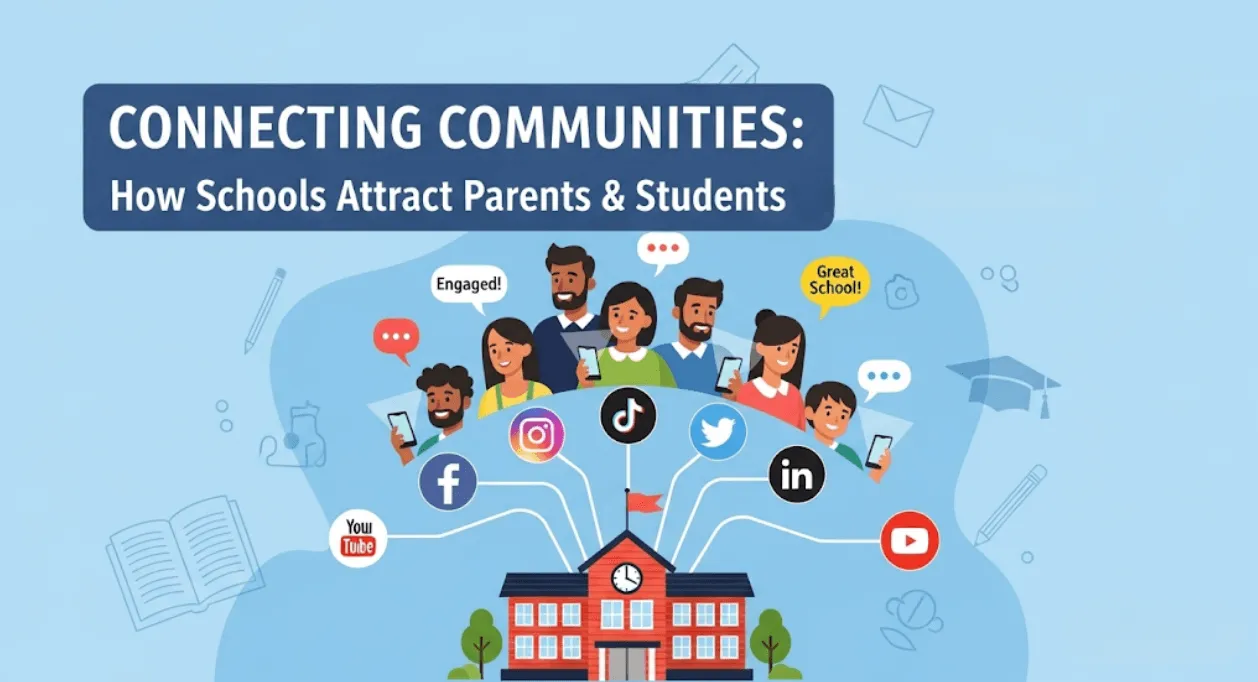
Parents and prospective students judge schools long before they call the admissions office. They find, vet, and compare schools on search engines and social networks. If your school isn’t visible, engaging, and professional online, you lose credibility and enquiries. This guide shows how social media for schools fixes that problem. It focuses on practical tactics that boost parent engagement, increase inquiries, and help you build an authentic school brand online.
In the next sections you will get a step-by-step strategy, platform priorities, a ready-to-use weekly content calendar, measurement templates, and copy examples you can publish today.
Why social media for schools matters now
Social media is where parents live, learn, and make decisions. The channel does three things exceptionally well for schools:
- Increases discoverability when parents search for a new school.
- Builds trust via regular, authentic updates and social proof.
- Converts interest into visits and applications through targeted content and CTAs.
If your goal is more enrolments, better retention, or stronger community relations, investing in social media for schools is one of the highest-ROI marketing moves a school can make.
Key goals to set for social media for schools
Before you post, define measurable goals. Common, high-impact goals include:
- Increase parent inquiries by X% (3–6 months).
- Grow Facebook/Instagram followers by X per month.
- Improve website visits from social by X%.
- Increase open day registrations and virtual tour sign-ups.
- Boost parent engagement rate (likes, comments, shares) to benchmark.
Write down 2–3 primary goals. These will direct your content, ad spend, and KPIs.
Audience: Who you’re trying to reach (parents vs students)
Different content speaks to different audiences. Segment by:
- Parents of early-years children — they want safety, values, and facilities.
- Parents of older students — they want academic outcomes, careers, and results.
- Prospective students (middle/high school) — they want campus life, extracurriculars, and social proof.
Your content mix should match audience intent. Parents value reassurance and proof; students want a peek into school life and opportunities.
Platforms to prioritize for social media for schools
Choose platforms with clear audience fit and realistic capacity to maintain them.
| Platform | Best for | Post types | Frequency |
|---|---|---|---|
| Parents (broad age range) | Announcements, events, community groups, photo albums | 3–5x/week | |
| Parents & students | Short videos, Reels, Stories, campus visuals | 4–7x/week | |
| YouTube | Students & parents | Campus tours, teacher interviews, success stories | 1–4x/month |
| WhatsApp / Telegram | Parent communication | Notices, admission forms, reminders (private groups) | As needed |
| Alumni, school leadership, partnerships | Thought leadership, staff achievements, partnerships | 1–3x/week |
Tip: Start with 1–2 platforms and do them well rather than spreading thinly.
Content strategy: What to post and why (use the focus keyword)
A balanced content mix fuels discovery, trust, and conversions. For social media for schools, aim for four content pillars:
- Admissions & outcomes (convert) — open day invites, fee structure highlights, admissions process reminders.
- Classroom & curriculum (educate) — lesson highlights, teacher takeovers, student projects.
- Community & culture (connect) — events, festivals, parent testimonials, alumni updates.
- Support & safety (reassure) — safety protocols, counselling services, digital literacy tips.
Use the 70/20/10 rule: 70% informative/community content, 20% admissions/promotional, 10% experimental (short video, challenge, poll).
Content formats that work for schools
- Short videos (30–90 seconds): campus life, quick teacher tips, student testimonials.
- Reels/Shorts: day-in-the-life, montage of events, alumni wins.
- Photos: high-quality, candid shots of classes, labs, sports.
- Live sessions: principal Q&A, virtual open days, subject webinars.
- Documents/Carousels: admission steps, syllabus highlights, checklists for parents.
Sample weekly content calendar for social media for schools
| Day | Platform | Theme | Post type | CTA |
| Monday | Facebook/Instagram | Welcome & Weekly Preview | Photo + caption of week ahead | Link to events page |
| Tuesday | Teacher Spotlight | Reel (45s) | Follow page / Ask a question | |
| Wednesday | Parent Testimonial | Video (60s) | Book a tour | |
| Thursday | Instagram Reels/YouTube Short | Student Project Showcase | Short video | Visit admissions page |
| Friday | WhatsApp (parent group) | Weekly Notices | Text + PDF | RSVP for weekend event |
| Saturday | YouTube | Campus Tour / Webinar | Long-form video | Register for open day |
| Sunday | Staff achievement / Thought piece | Post + link | Connect / Share |
Customize this calendar for exam seasons, admission bursts, or festival periods.
Sample post templates (copy you can use today)
Facebook post (parent-friendly):
“Open Day this Saturday — join us to explore our science labs, meet the teaching team, and see student projects. Reserve your spot: [link]. Seats limited. #SocialMediaForSchools #OpenDay”
Instagram caption (student-focused):
“A day in the life of an art student at [School Name] — swipe to see today’s studio projects. Want to try this? DM us to book a studio visit. #SocialMediaForSchools #CampusLife”
WhatsApp message (parent group):
“Reminder: Annual Parent-Teacher Meeting on 14 Oct, 9:00 AM in the auditorium. Please confirm attendance by replying ‘YES’ to this message. Agenda attached.”
Email-to-Social blurb (for newsletters):
“We launched our Jubilee Labs this week — see highlights and student reactions on Instagram: [link].”
Visuals and branding: keep it consistent
- Use a fixed palette and font set for social templates.
- Create a cover image template for event promos.
- Keep logo placement consistent but subtle.
- Use captions and alt text for accessibility.
Consistency builds brand recall and trust. This is essential for social media for schools because parents look for professionalism and clarity.
Paid ads & targeting: get more enquiries fast
Organic reach is valuable. But targeted ads accelerate results for admissions seasons. Use these ad types:
- Awareness ads: target local parents by location, age, and interests.
- Traffic ads: drive clicks to your open day landing page.
- Lead ads: collect prospect info inside the platform (Facebook Lead Ads).
- Retargeting: show ads to people who visited your website but did not register.
Set clear conversion goals, A/B test creatives, and allocate a monthly ad budget. Even a small budget used consistently gives measurable returns.
Measure success: KPIs & reporting for social media for schools
Key metrics to track:
- Reach & impressions — how many parents saw your content?
- Engagement rate — likes, comments, shares per post.
- Click-through rate (CTR) to website/apply page.
- Leads generated — form completions, sign-ups for tours.
- Conversion rate — percentage of leads that become applicants or visitors.
Monthly report template:
- Total followers by platform
- Average engagement rate (last 30 days)
- Top 3 posts (by engagement)
- Website visits from social
- Leads generated and conversion rate
- Recommendations and next month’s goals
Tools and automation to streamline social media for schools
Recommended tools:
- Scheduling: Meta Business Suite, Buffer, Hootsuite — plan and publish posts.
- Creative: Canva or Adobe Express — templates for social posts.
- Analytics: Facebook Insights, Instagram Insights, Google Analytics.
- CRM/Forms: Google Forms, Typeform, or a simple CRM to capture leads.
- WhatsApp Business: for safe, trackable parent communication.
Automate routine publishing, but keep live interactions human.
Privacy, consent & safety: essential policies for social media for schools
When posting images and videos of students, follow these rules:
- Obtain written parental consent before publishing identifiable images of minors.
- Use group photos instead of close-ups when consent is limited.
- Share achievements without sharing sensitive details (addresses, medical data).
- Appoint a single social media admin to approve posts.
These practices reduce legal risk and build parent trust — a non-negotiable for social media for schools.
Crisis communication: how to use social media when things go wrong
Have a short crisis social media playbook:
- Acknowledge quickly — post factual updates.
- Provide official channels for verification (phone, email, website).
- Avoid speculation — wait for official statements.
- Use private groups for parent briefings before public posts.
Prepare templates for common scenarios: power outages, exam schedule changes, or weather closures.
Examples: social media for schools done well (ideas you can copy)
- Weekly “Teacher Tips” series — 60-second classroom strategies from different teachers.
- Alumni spotlight videos — two-minute interviews about career paths.
- Student takeovers — let a student post Stories for a day showing classes and activities.
- Virtual open day playlist — a YouTube playlist with short videos: welcome, tour, curriculum, FAQs.
These formats build authenticity and make your school memorable.
Measuring ROI: how to connect social activity to admissions
Link social work to admissions by:
- Using tracked links (UTM parameters) to measure which posts drive website traffic.
- Creating simple landing pages for open-days with a form to register leads.
- Assigning lead sources in your CRM so enrollment teams know where inquiries came from.
A clear conversion funnel turns likes into visits and visits into admissions.
Common pitfalls to avoid when using social media for schools
- Posting sporadically – Social media rewards consistency.
- Over-promotion – Too many sales-oriented posts reduce trust and make your feed look like an ad board.
- Ignoring comments – Engagement requires timely responses to parents and students.
- Poor visuals – Low-quality images or shaky videos can damage your school’s credibility.
- No measurement – Without tracking results, you won’t know which posts or campaigns are working.
Fixing these early helps you maintain a professional presence and generate steady results.
FAQ — Social media for schools (parents and admin FAQs)
Which platform is best for reaching parents?
Facebook and WhatsApp work best in most regions because parents are active there. Instagram is great for visuals and stories, particularly if you want to connect with students as well.
How often should a school post on social media?
A solid starting point is 3–5 posts per week on Facebook, 4–7 posts on Instagram (including Stories/Reels), one YouTube video per month, and WhatsApp updates as needed.
Do we need parental consent to post student photos?
Yes. Always obtain written consent. If consent is limited, use group shots or blur faces, and avoid sharing personal details.
Can social media really increase admissions?
Absolutely. Social media for schools builds awareness, trust, and lead funnels. With tracked links and landing pages, you can turn interest into tours and applications.
What metrics should school leaders focus on?
Key metrics include website traffic from social, leads generated, engagement rate, and conversion rate (leads → visits → applications).
Conclusion and Call-to-Action
Social media for schools is no longer optional — it’s a core strategy for engaging parents, attracting students, and enhancing your reputation. Start small, measure consistently, and scale what works best for your audience.
Use the calendar, templates, and KPI checklist in this guide to create a reliable admissions pipeline.
If you’re ready to level up your strategy, LegacyEdTech can help you design a customized social media plan, train your team, and launch campaigns that deliver measurable results. Contact us today to book a strategy session and get a free 30-day content calendar to kick-start your journey.